Creating a DOI via CU Libraries and DataCite
As of 2018, CU Libraries is a member of DataCite. Through this membership, LASP can mint and register DOIs for datasets housed in our repositories, enabling data to be persistently identified, accessed, and cited.
Guidelines for assigning Digital Object Identifiers (DOIs) to datasets using this membership, including steps for request, metadata requirements, and long-term responsibilities are outlined here.
Purpose
This guideline supports LASP’s data publishing workflows by enabling the creation and registration of persistent identifiers (DOIs) for datasets using CU resources. These identifiers help ensure long-term access, discoverability, and proper citation of data.
How to create a DOI
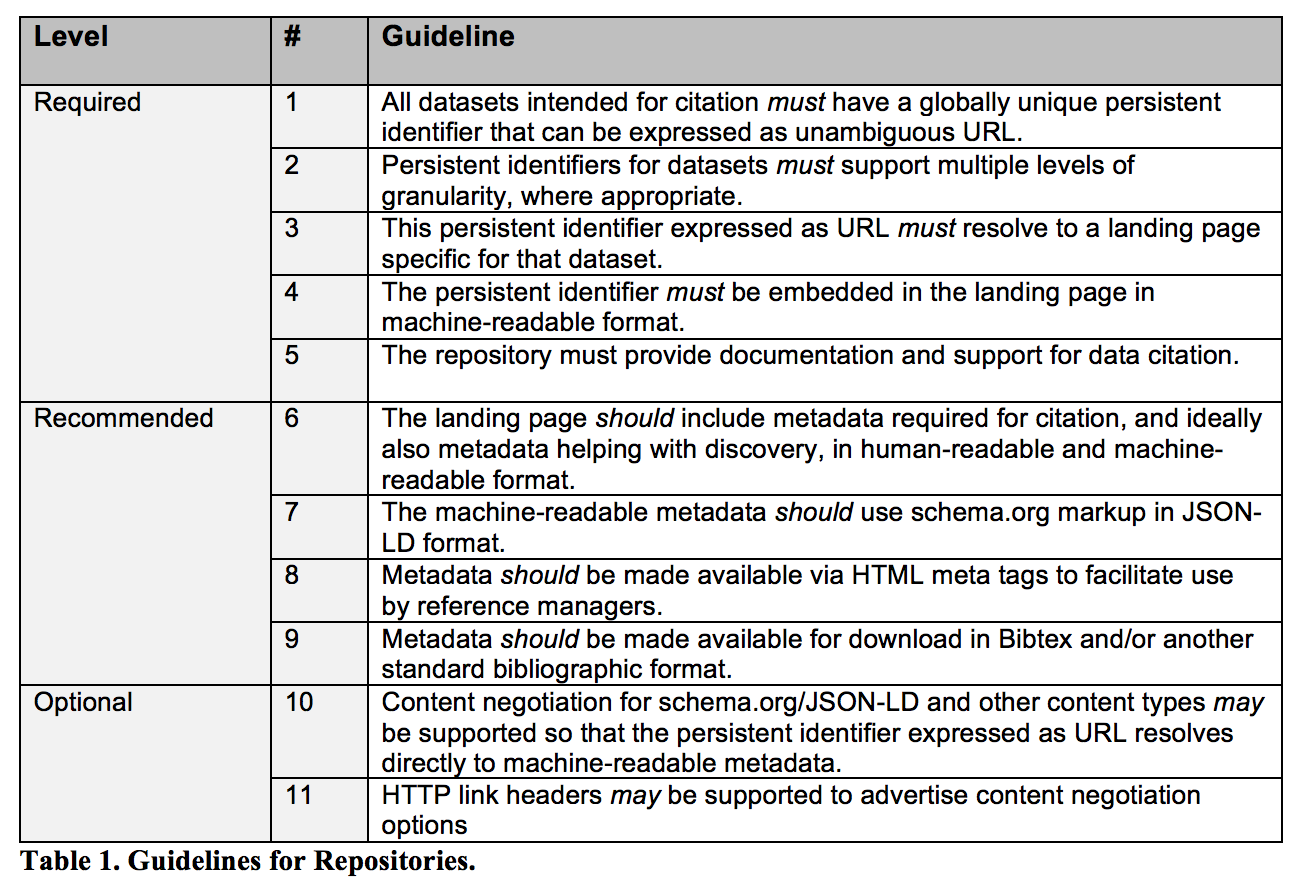
Dataset DOIs should resolve to a dataset landing page providing information about the dataset like where it can be accessed. CU libraries automatically generates a generic landing page populated with high level metadata on datasets provided in a DOI request form. Whereas CU Scholar, another CU resource, requires data providers to have a reference to such a landing page when creating a DOI.
Note, that the number of DOIs allocated to LASP is limited.
Submit a Request
Researchers: File a Jira issue with type “DOI” in the Data Management Jira project.
Prepare Required Metadata
Work with the Data Management team to ensure proper metadata and landing page are available.
Minimum required metadata for DOI creation:
URL of the landing page (not the dataset itself)
Creators (list of names)
Title
Publisher (typically LASP or a project within LASP)
ResourceType (usually
dataset)
DataCite supports additional metadata. Those properties are described here: https://support.datacite.org/docs/metadata-quality.
Create DOI via DataCite
Data Management team logs into doi.datacite.org using the
CUB.LASPrepository ID.Click “DOIs” → “Create DOI (Form)”
Use the form to enter metadata. See full field descriptions at: DataCite Field Descriptions
For developers: There is an API that reads the full metadata schema.
Maintain DOI Metadata
Keep DOI metadata up to date in the DataCite Metadata Store
If a dataset is moved, update the registry.
If a dataset is removed, maintain a “tombstone” landing page.
Follow DOI Best Practices
Use landing pages (not direct links to datasets).
Maintain metadata quality and completeness as information changes.
See Metadata Guidelines for dataset metadata requirements.
Adhere to Roles and Responsibilities
LASP (as a DataCite Client) must meet responsibilities outlined in:
Getting Help
Please use the DATAMAN project on MODS-Jira to submit a ticket, and someone from the Data Management Working Group will respond to it.
Useful Links
Acronyms
DOI = Digital Object Identifier
NASA = National Aeronautics and Space Administration
EOSDIS = Earth Observing System Data and Information System
API = Application Programming Interface
Credit: Content taken from a Confluence guide written by Anne Wilson and updated by Doug Lindholm